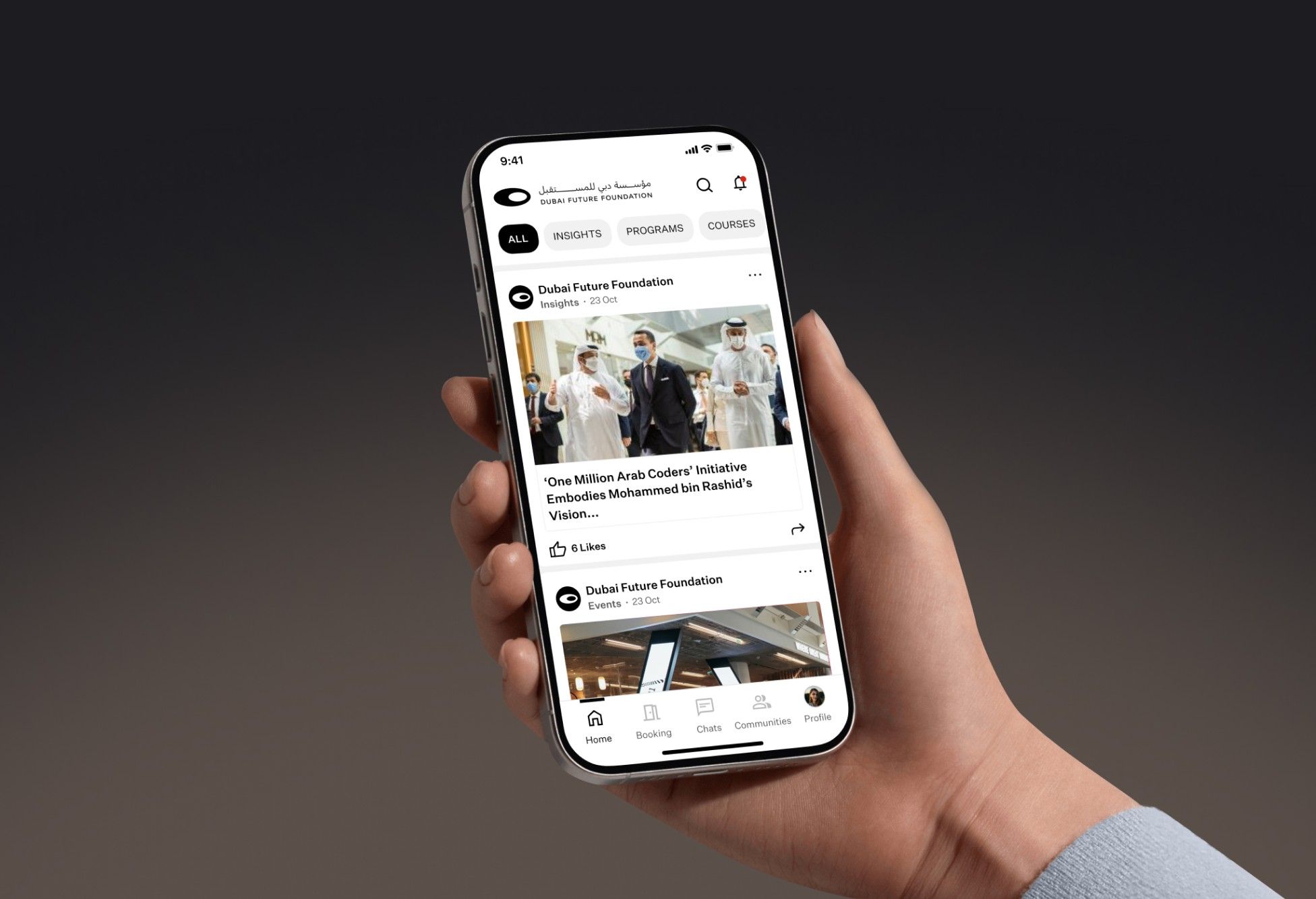
The brief: AREA 2071 connects startups, government and the private sector through programs, courses and events. uSoftware, the Foundation's technology partner, had a working platform but needed it cleaner and easier to use for a very mixed audience.
What I did:
- Ran a full UI/UX audit: visual inconsistencies, usability issues and structural pain points.
- Rebuilt the homepage around events, courses and communities, with widgets for personal updates.
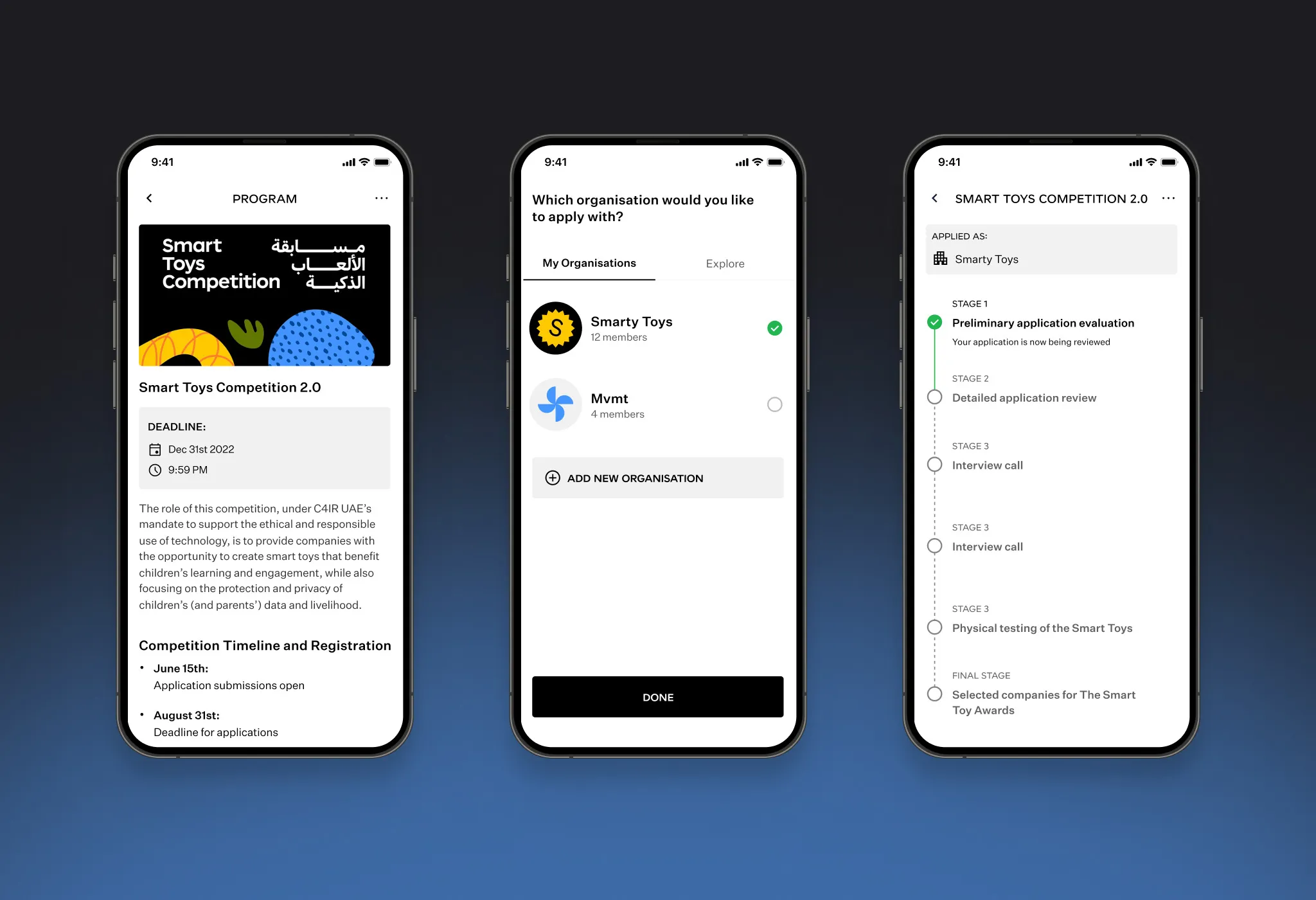
- Turned program and event registration into guided steps with progress and status tracking.
- Redesigned community, chat, booking and calendar flows.
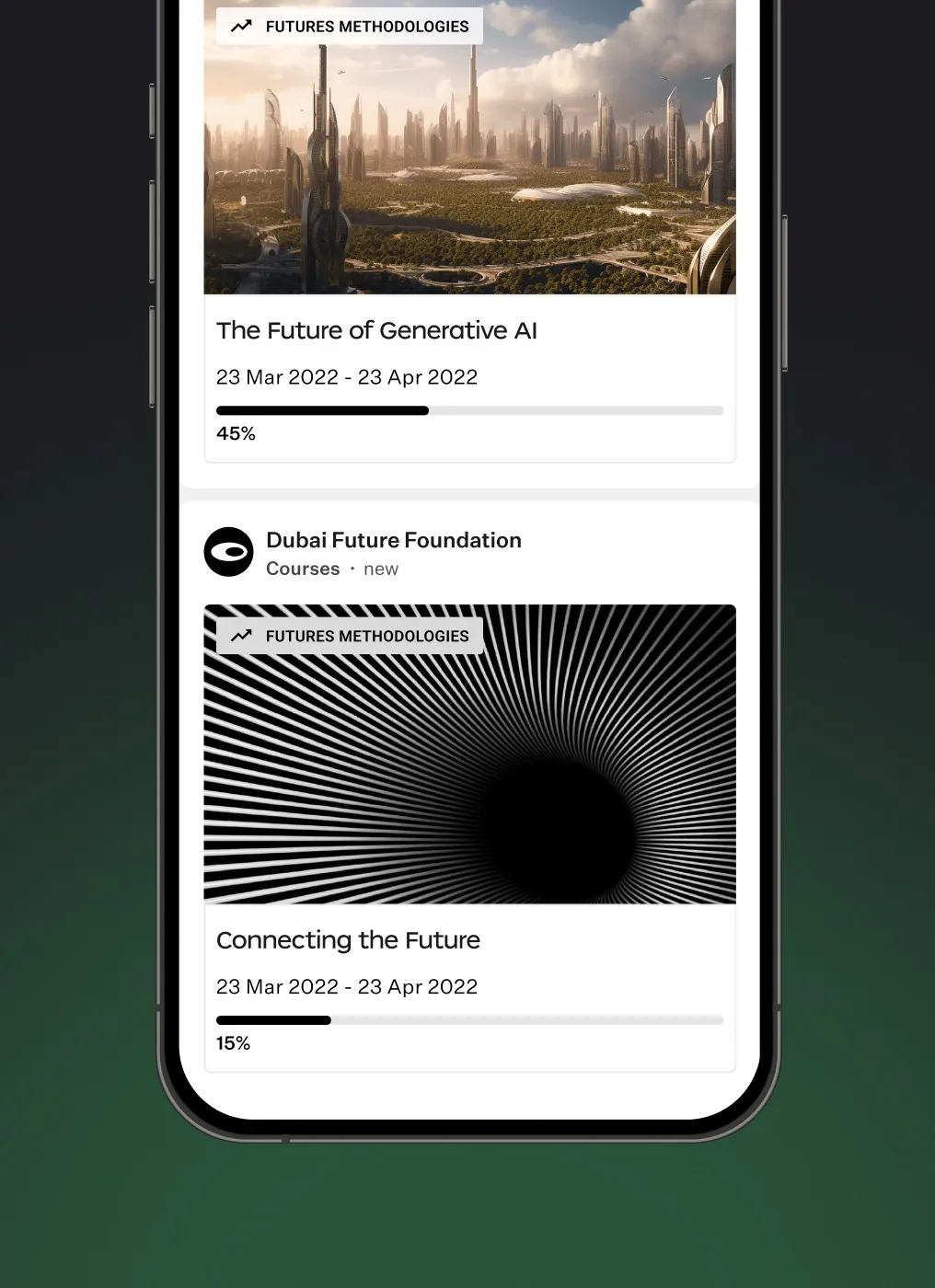
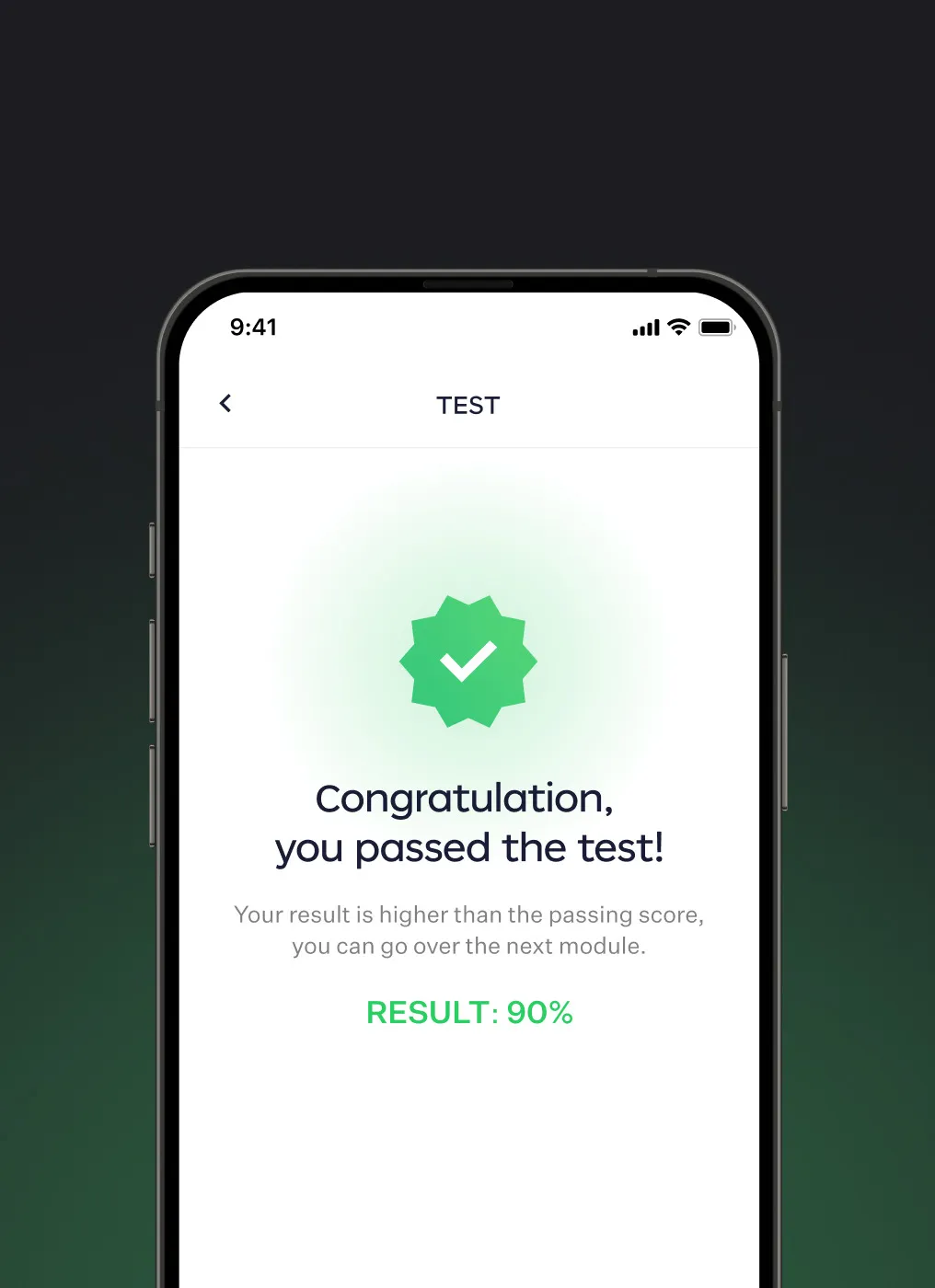
- Designed profile progress and course pages with lessons, quizzes and certificates.
- Worked with the developers so the fixes were built as designed.
Result: A cleaner, more consistent platform built on the existing system - key interactions are easier to find and finish, without a rebuild from scratch.

Design process
1.Research & exploration
- Full design audit
- Stakeholder discussions
- Usability & structure review
- Wireframes for improvements
2.Design & prototyping
- Refined high-fidelity screens
- UI consistency updates
- Simplified interactions
- Work with development
Audit
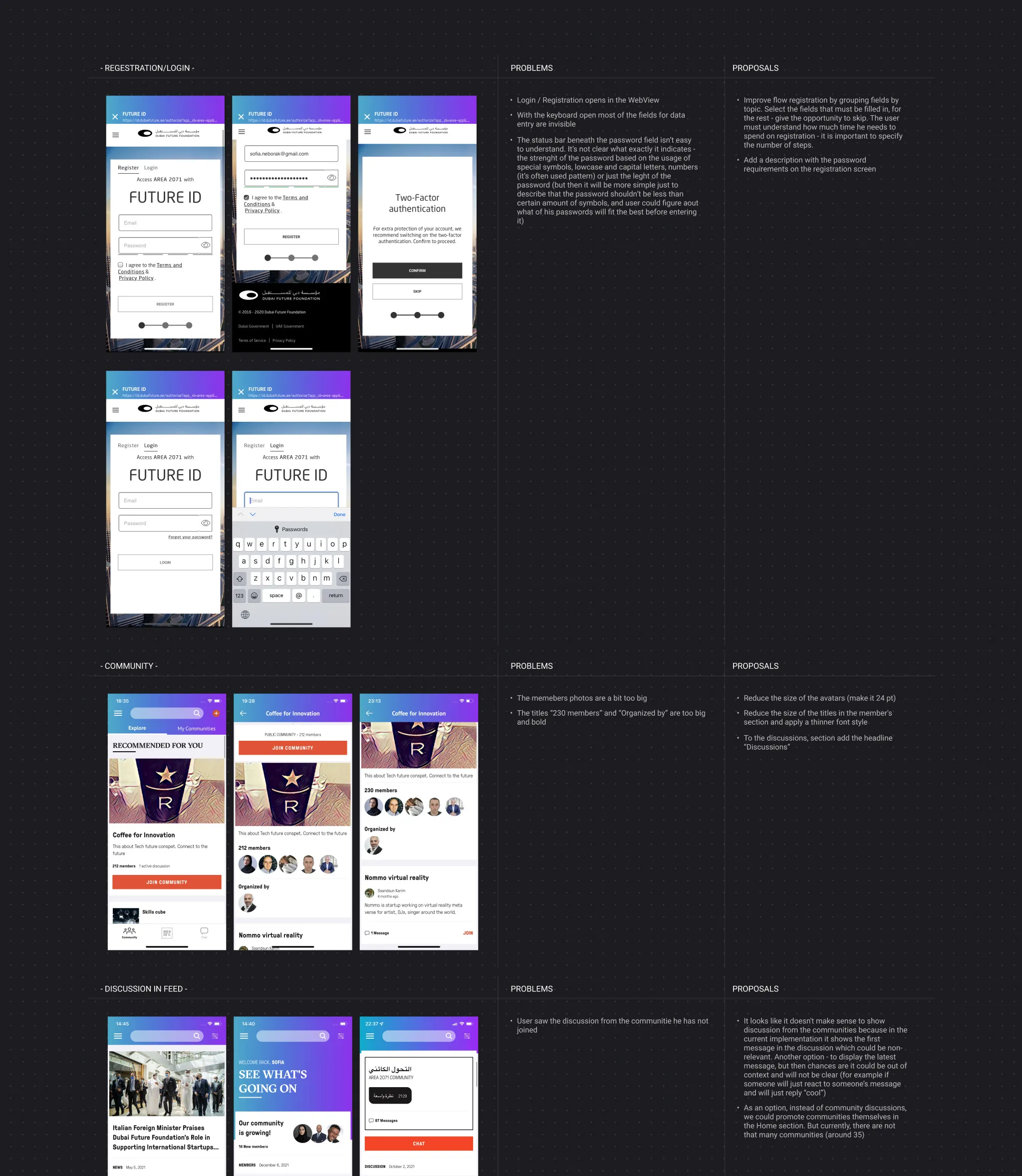
Before changing anything, I audited the existing app flow by flow - registration and login, communities, discussions in the feed and more. For each screen I listed the problems next to a concrete proposal, from unclear password rules to oversized elements and content that wasn’t relevant to the user. This audit became the backlog for the redesign.
Visual style
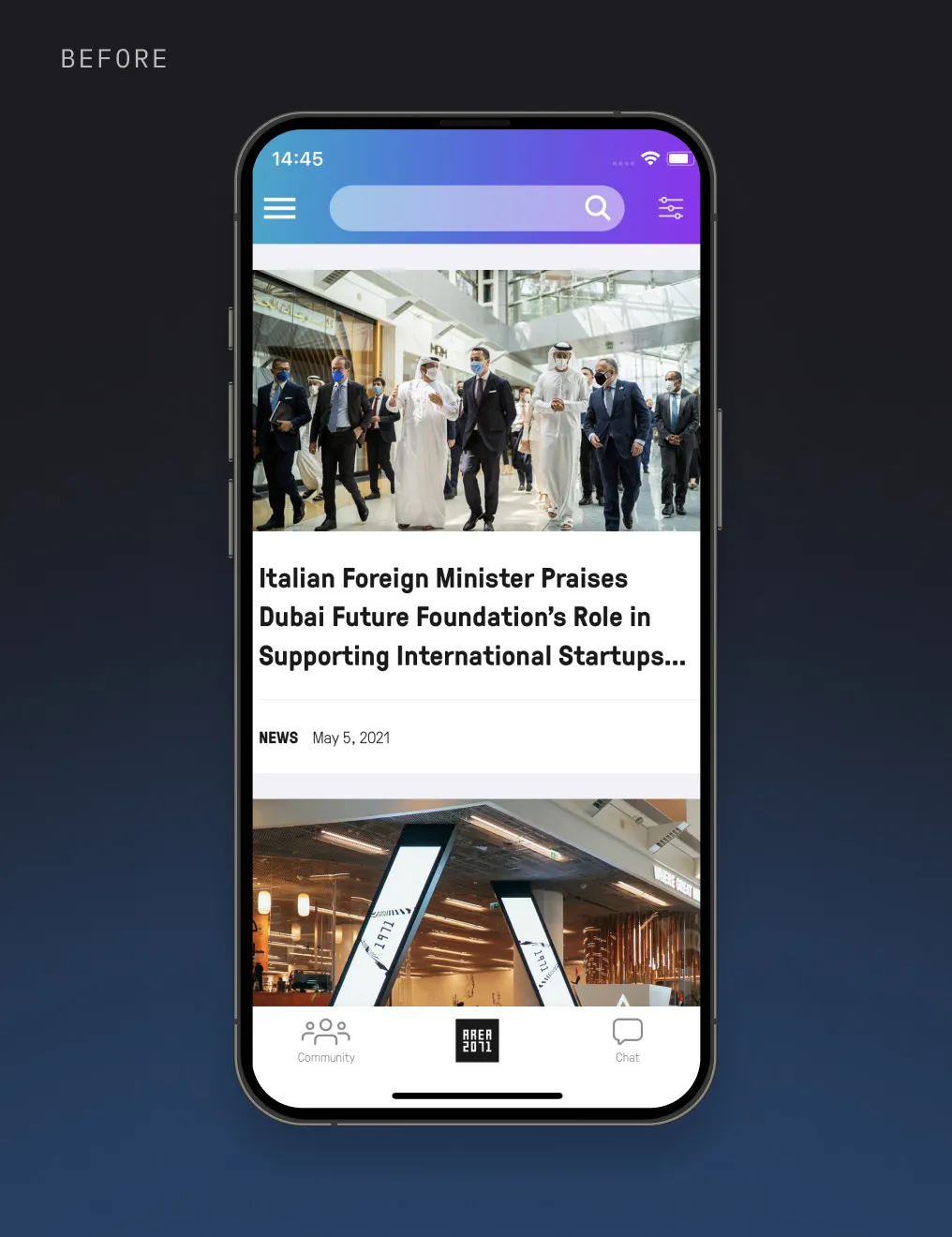
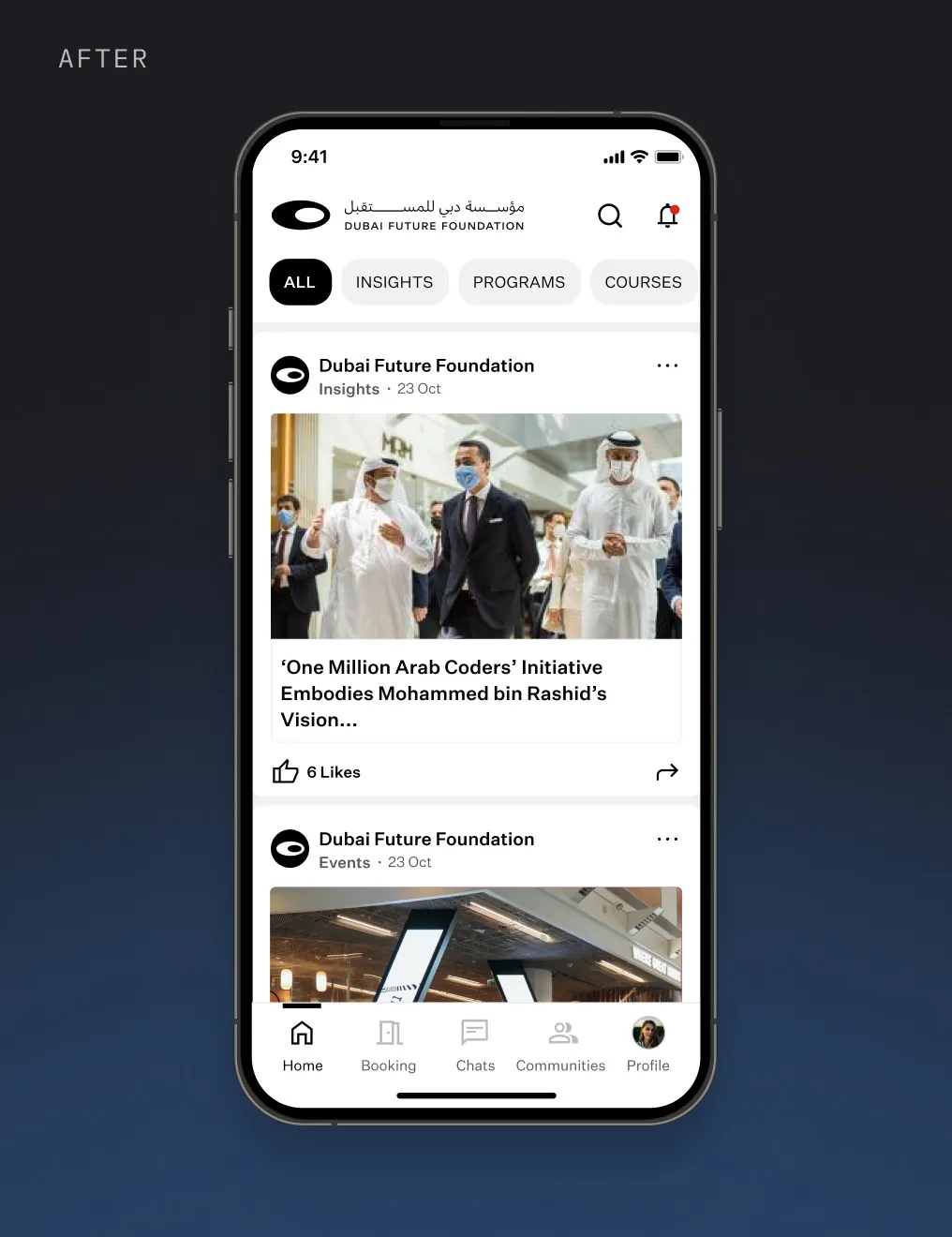
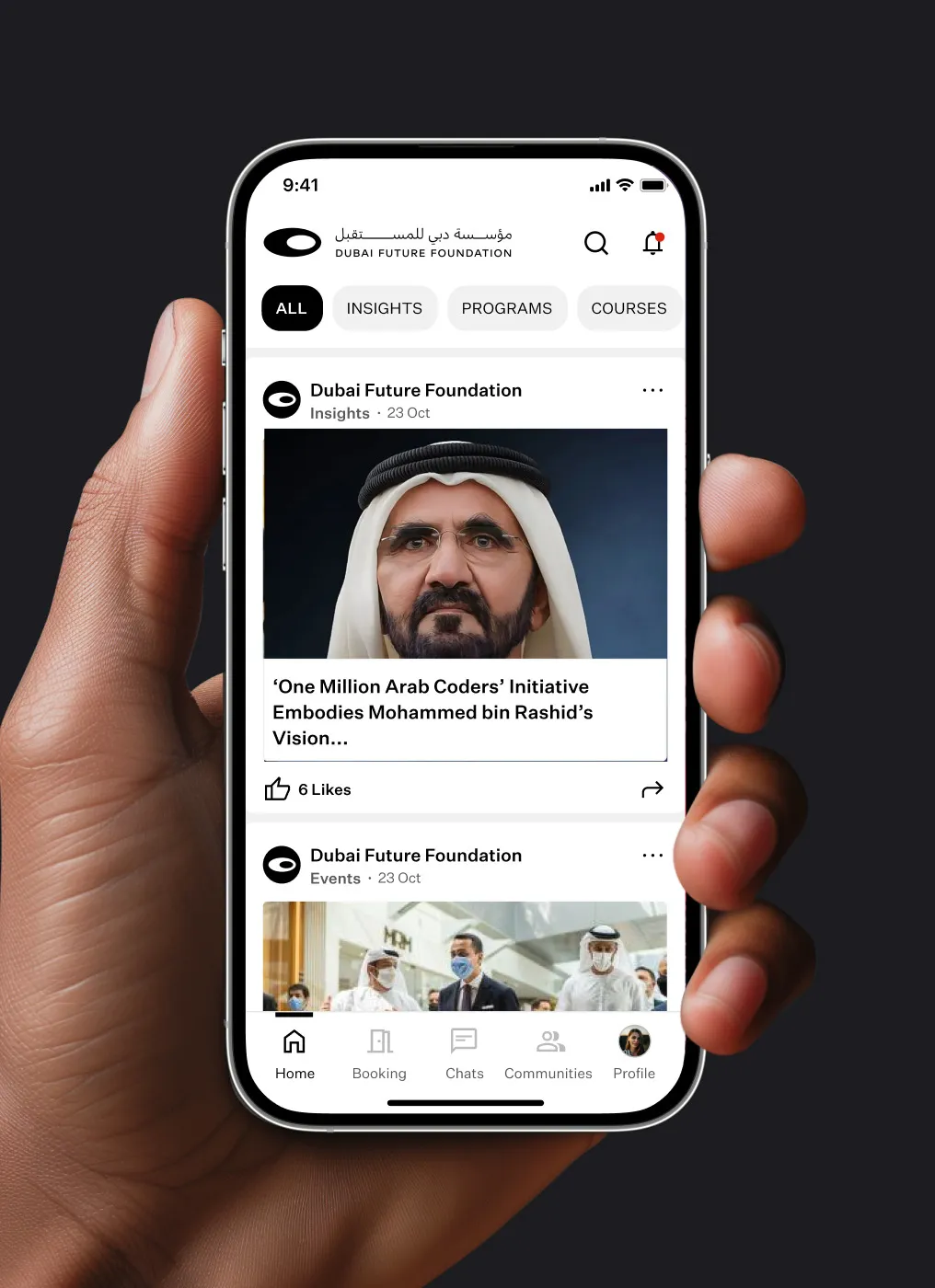
The previous interface mixed bright gradients, heavy headings and dense cards. I moved it to a calmer style built on the Dubai Future Foundation brand: a white base, black accents, clear typography and consistent cards for news, events and programs. Filters at the top and a simpler tab bar make the feed easier to scan.
Features
Homepage
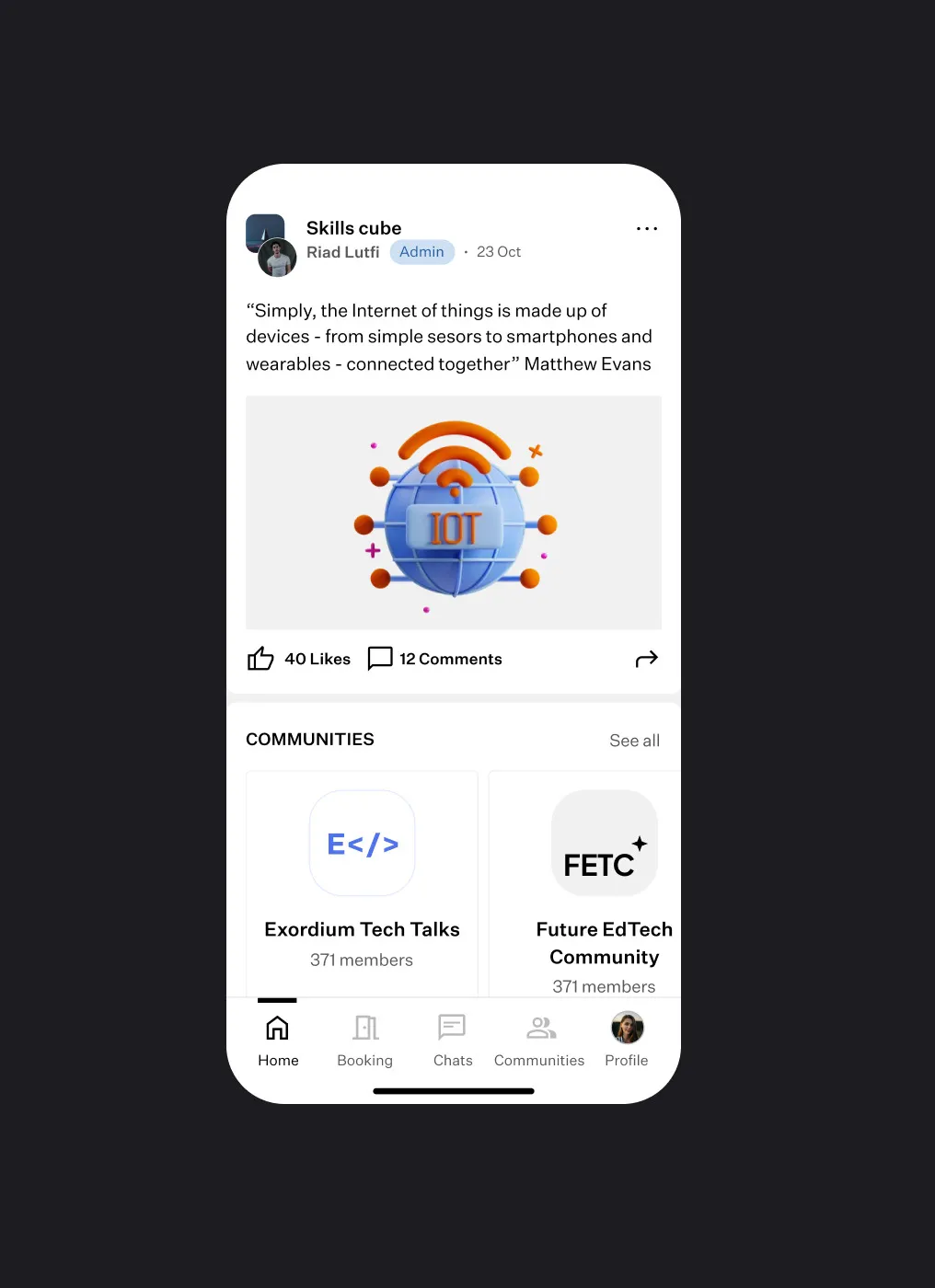
One feed for insights, events, programs and courses, filtered by chips at the top, with suggested communities between posts.
Community
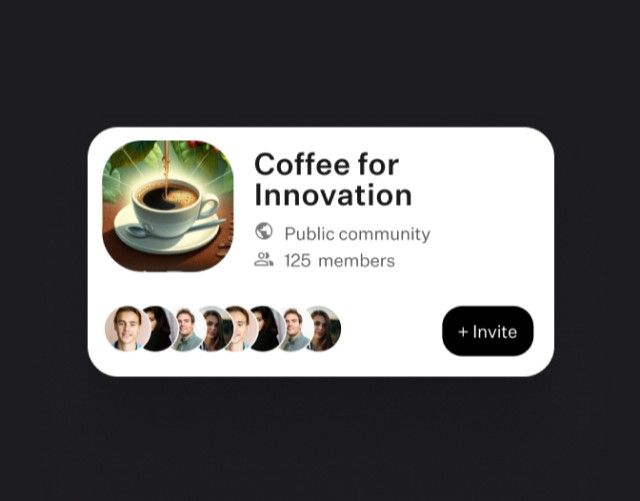
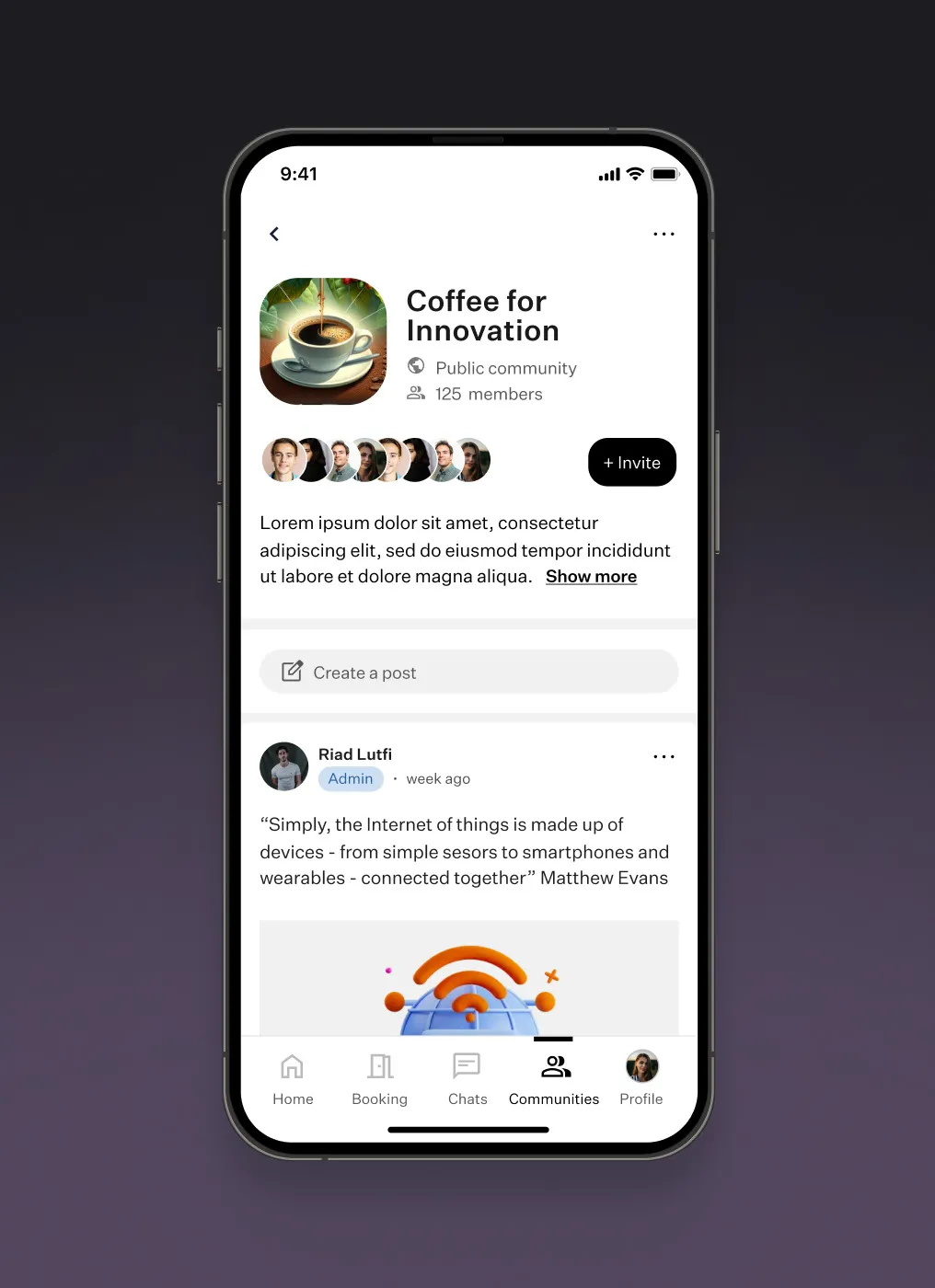
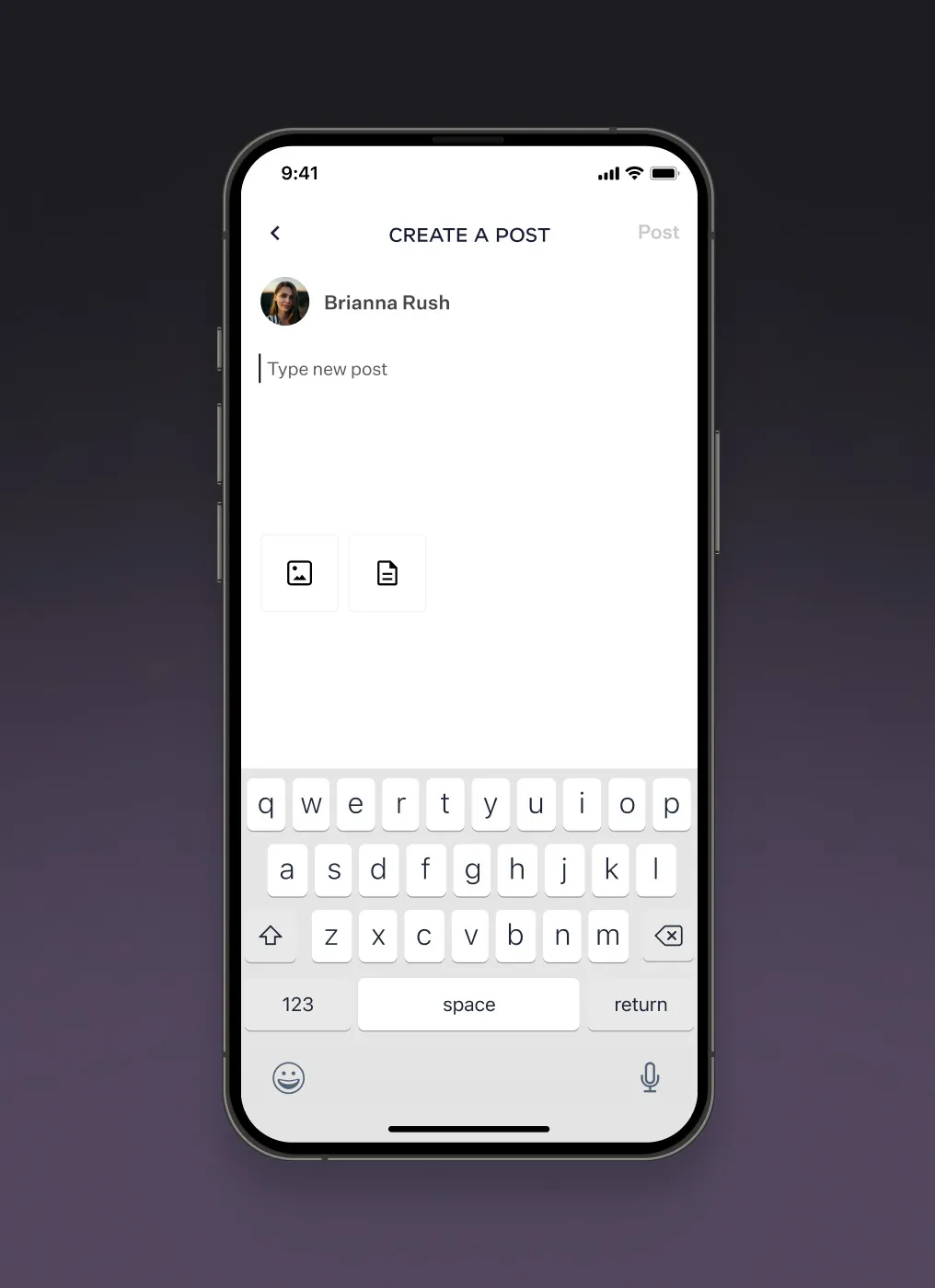
Each community has its members, an invite button and its own feed. Starting a discussion takes one tap and a simple post editor.
Program & event registration
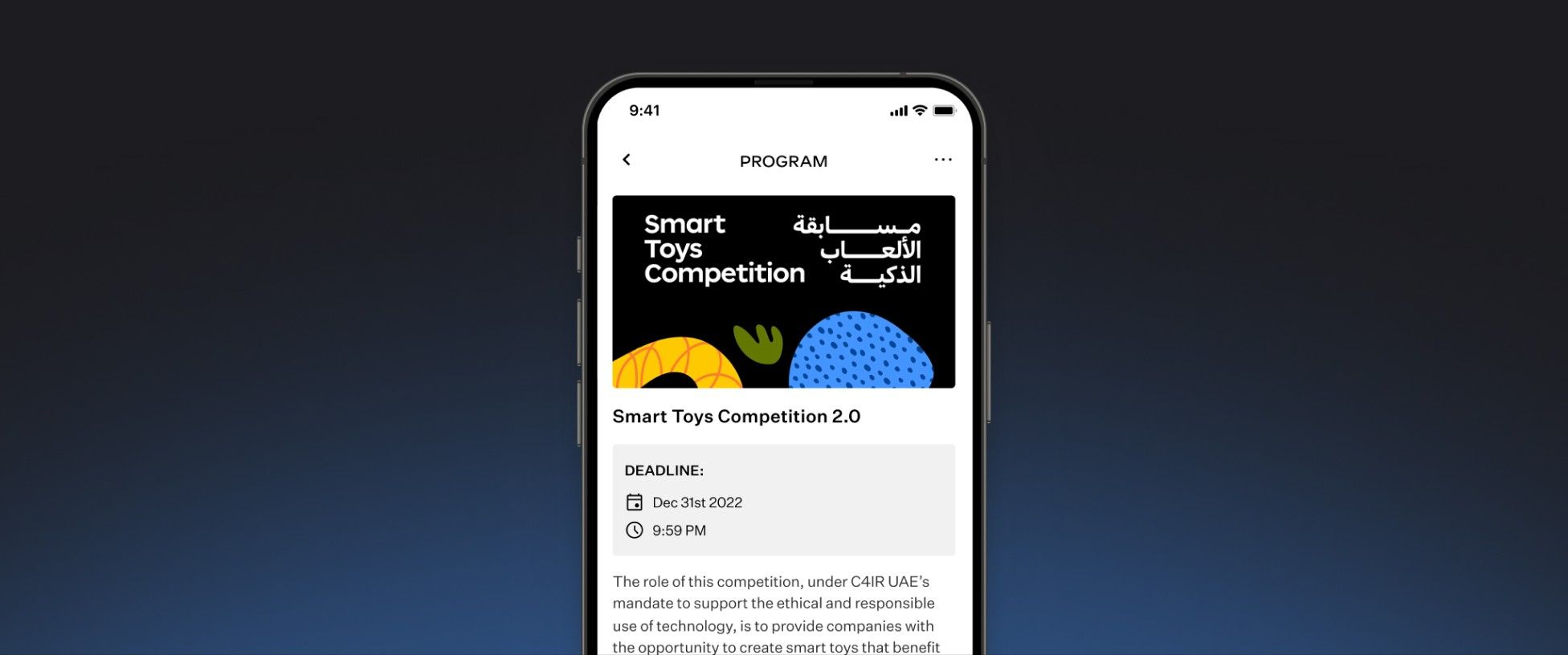
A program page shows the deadline and timeline. People apply on behalf of their organization, then follow the application through every stage - from the first evaluation to the final selection.
Chat
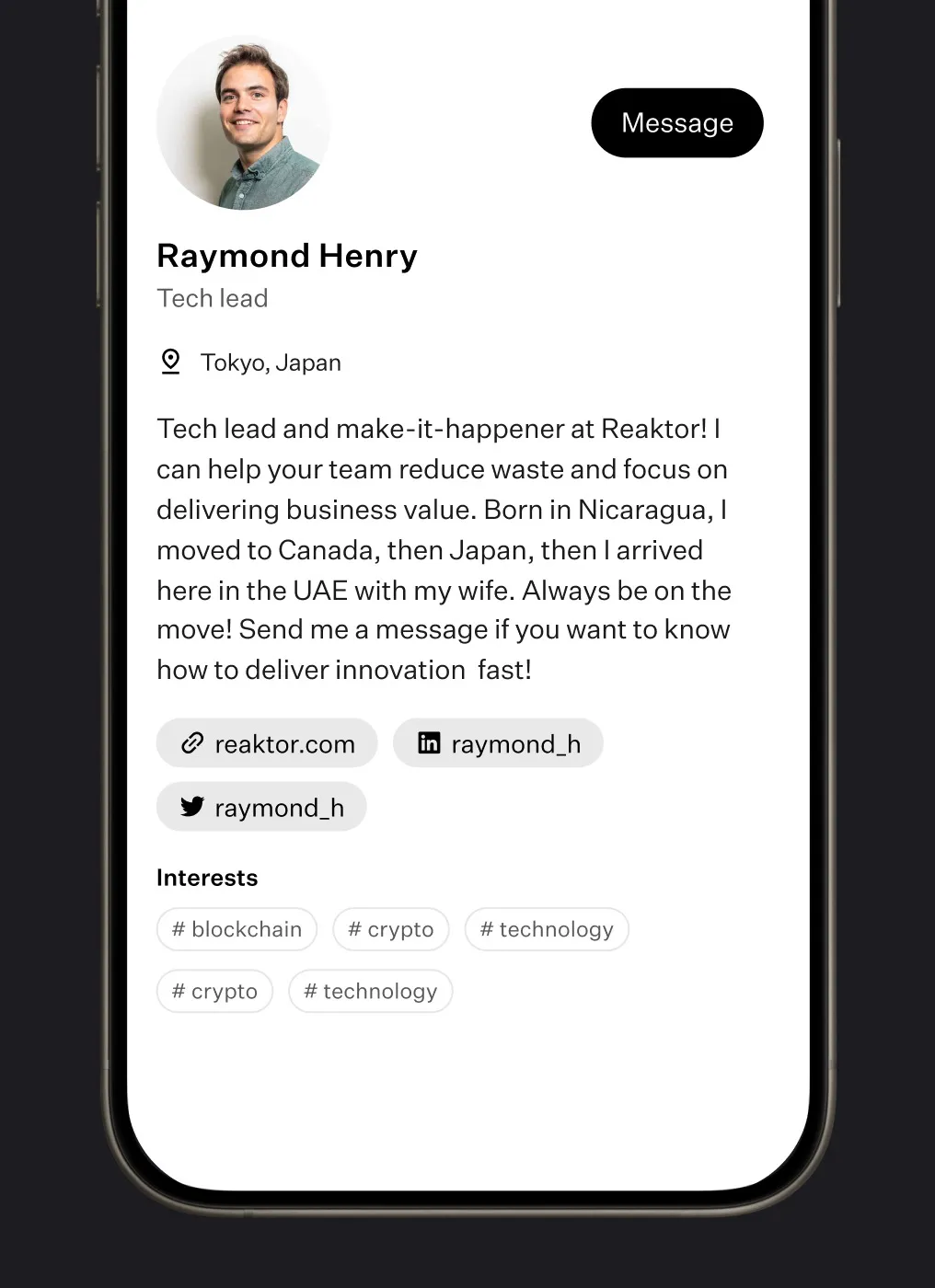
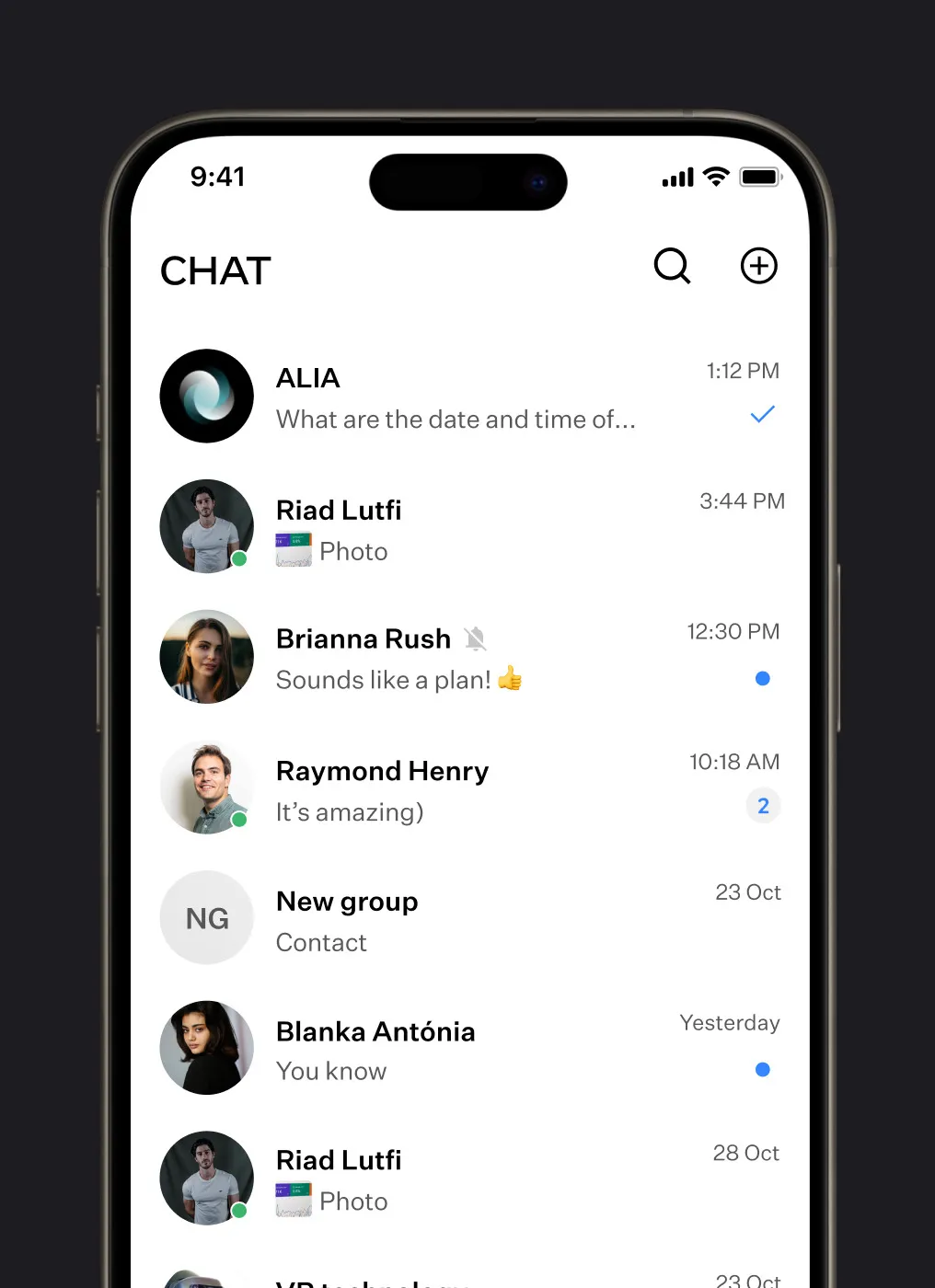
One-to-one and group chats in one list with unread markers, and a Message button right on member profiles.
Booking & calendar
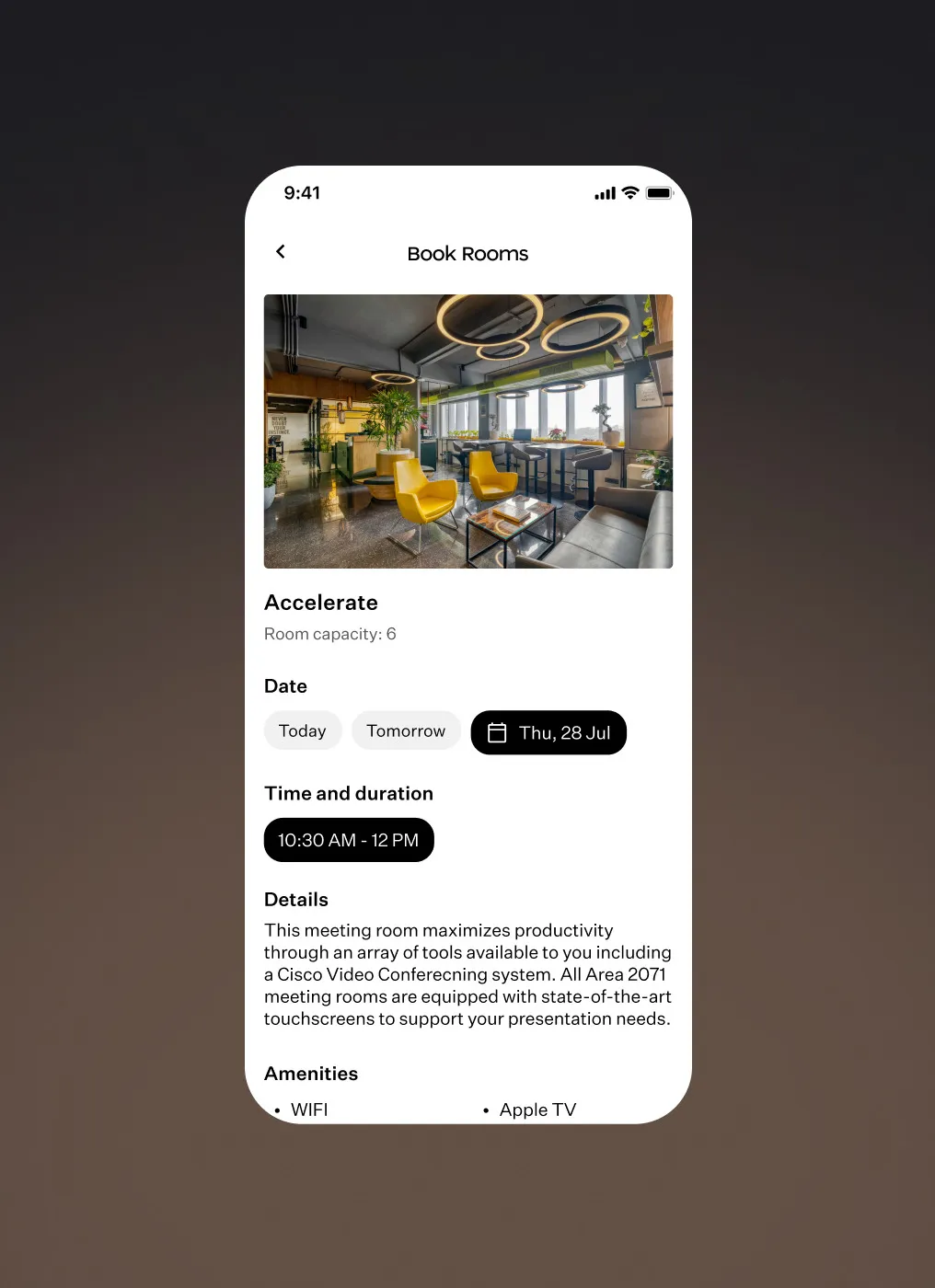
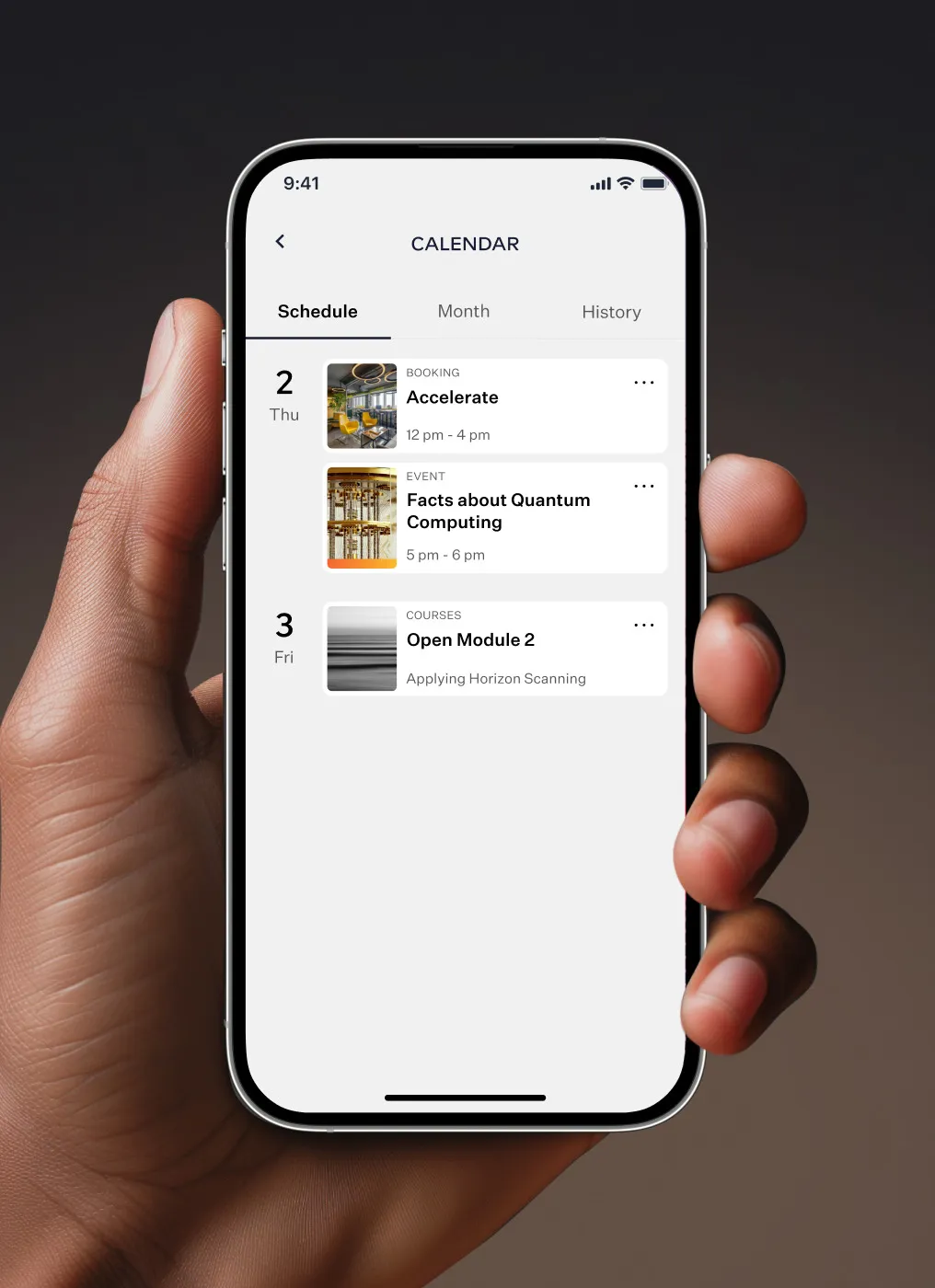
Meeting rooms are booked by date and time, with capacity and amenities up front. A calendar with Schedule, Month and History tabs keeps bookings, events and courses in one place.
Profile & progress
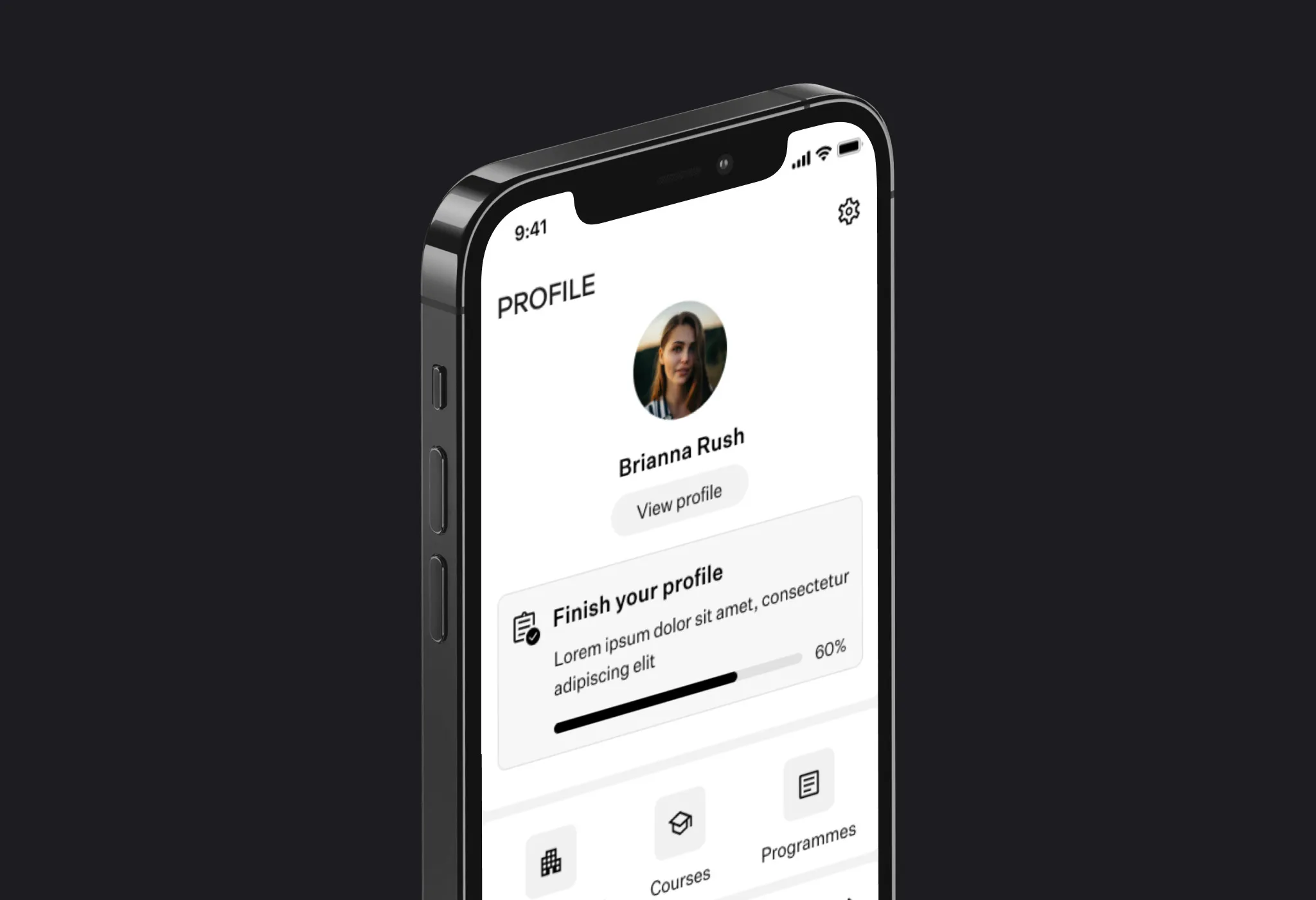
Profile completion progress that nudges people to fill in their details.
Courses & tests
Courses with dates and a progress bar, and a test at the end of each module - pass it to move on to the next one.